Live today
Class recordings
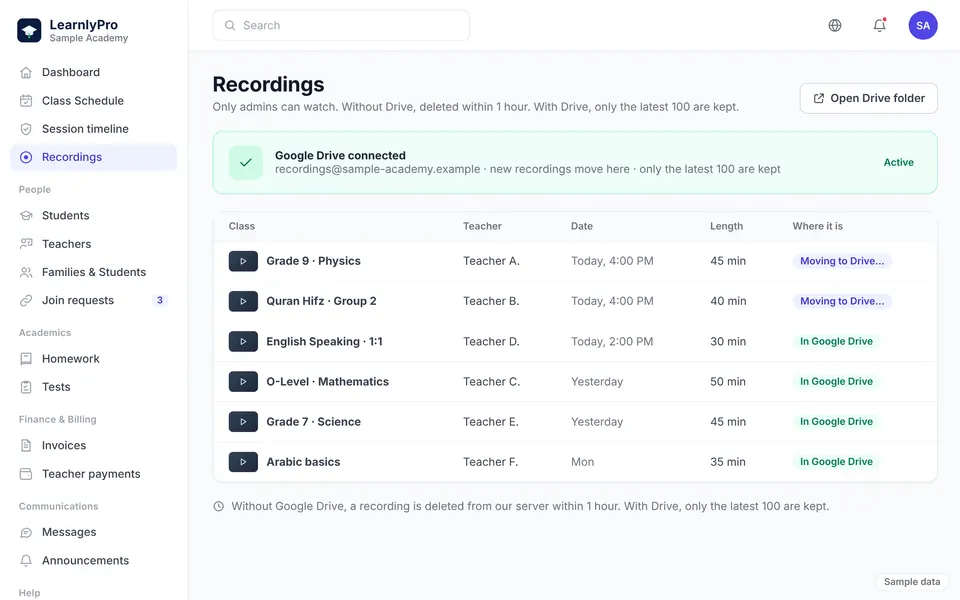
The teacher starts the class recording with one click. If they forget, LearnlyPro's server records the class audio and screen share after 3 minutes. Only the academy admin can watch recordings. Without Google Drive connected, the file is deleted from our server within 1 hour. With Drive connected, it moves to the academy's own Drive, which keeps the latest 100.
How it works
- The teacher presses Start recording when the class begins.
- If they forget, the server starts a backup recording of audio and screen share after 3 minutes.
- With Google Drive connected, the file moves to the academy's Drive. Only the latest 100 are kept there.
- Without Drive, the recording is deleted from our server within 1 hour.
What you get
- A forgotten recording still has a server backup.
- Only the academy admin can watch. Recordings are not shared with families.
- Recordings do not pile up on our servers.
- The academy keeps its own copies in its own Google Drive.